How to Automate Repetitive Tasks and Save 10+ Hours a Week
Introduction
In today’s fast-paced business world, time is one of the most valuable resources. However, many businesses still spend hours on repetitive tasks such as data entry, email management, report generation, spreadsheet updates, scheduling, and customer follow-ups.
These activities may seem small, but they can reduce productivity and prevent teams from focusing on important business goals. By using workflow automation, office productivity tools, and task automation strategies, businesses can reduce manual work, improve accuracy, and create more efficient operations.
What Is Task Automation?

Task automation is the use of software and digital systems to complete repetitive tasks automatically with minimal human involvement.
Instead of spending hours on routine activities, employees can use automation tools to complete tasks faster and focus on higher-value work.
Common automated tasks include:
- Email notifications and responses
- Report generation
- Customer follow-ups
- Meeting scheduling
- Document management
- Data updates
Automation helps businesses work smarter by reducing unnecessary manual effort.
Why Businesses Should Adopt Workflow Automation
Manual processes can create several challenges as businesses grow, including:
1. Time Consumption
Employees often spend valuable hours completing repetitive activities. Automation helps complete these tasks faster and saves working time.
2. Human Errors
Manual data entry and repeated processes can lead to mistakes. Automated workflows improve accuracy and consistency.
3. Lower Productivity
When employees focus too much on administrative tasks, they have less time for innovation, problem-solving, and strategic activities.
4. Limited Process Visibility
Without proper systems, tracking workflows and monitoring performance becomes difficult. Automation provides better control and transparency.

How Automation Can Save 10+ Hours Every Week
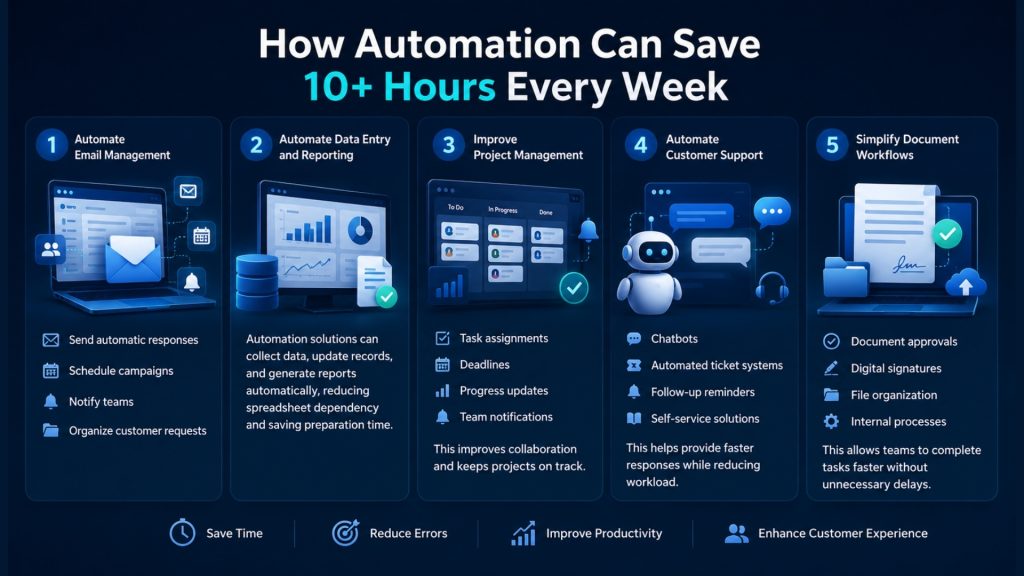
1. Automate Email Management
Email automation can reduce manual communication efforts by helping businesses:
- Send automatic responses
- Schedule campaigns
- Notify teams
- Organize customer requests
2. Automate Data Entry and Reporting
Automation solutions can collect data, update records, and generate reports automatically, reducing spreadsheet dependency and saving preparation time.
3. Improve Project Management
Project management automation helps teams manage:
- Task assignments
- Deadlines
- Progress updates
- Team notifications
This improves collaboration and keeps projects on track.
4. Automate Customer Support
Businesses can improve customer service through:
- Chatbots
- Automated ticket systems
- Follow-up reminders
- Self-service solutions
This helps provide faster responses while reducing workload.
5. Simplify Document Workflows
Automation can streamline:
- Document approvals
- Digital signatures
- File organization
- Internal processes
This allows teams to complete tasks faster without unnecessary delays.
Useful Office Productivity Tools for Automation
Different businesses can use automation tools based on their requirements.
Common solutions include:
Communication Tools
Help automate emails, notifications, and team communication.
Project Management Tools
Support task tracking, reminders, workflow management, and collaboration.
Business Process Automation Platforms
Connect multiple systems and automate complex business workflows.
Custom Software Solutions
For unique business needs, custom software can create tailored automation systems such as:
- Internal management platforms
- Automated reporting systems
- Inventory solutions
- Customer management systems
Steps to Start Automating Your Business
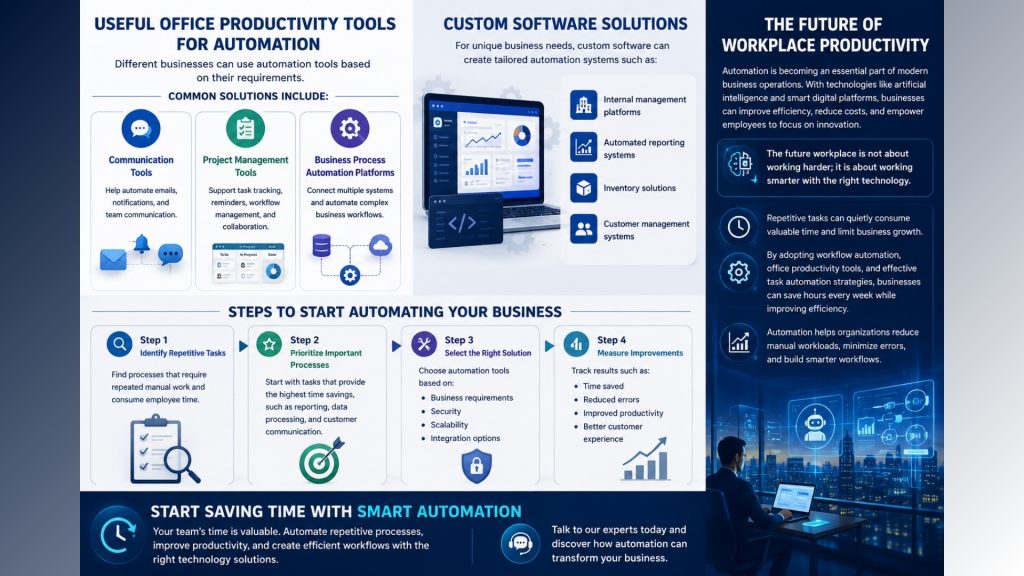
Step 1: Identify Repetitive Tasks
Find processes that require repeated manual work and consume employee time.
Step 2: Prioritize Important Processes
Start with tasks that provide the highest time savings, such as reporting, data processing, and customer communication.
Step 3: Select the Right Solution
Choose automation tools based on:
- Business requirements
- Security
- Scalability
- Integration options
Step 4: Measure Improvements
Track results such as:
- Time saved
- Reduced errors
- Improved productivity
- Better customer experience
The Future of Workplace Productivity
Automation is becoming an essential part of modern business operations. With technologies like artificial intelligence and smart digital platforms, businesses can improve efficiency, reduce costs, and empower employees to focus on innovation.
The future workplace is not about working harder; it is about working smarter with the right technology.
Conclusion
Repetitive tasks can quietly consume valuable time and limit business growth. By adopting workflow automation, office productivity tools, and effective task automation strategies, businesses can save hours every week while improving efficiency.
Automation helps organizations reduce manual workloads, minimize errors, and build smarter workflows.
Start Saving Time with Smart Automation
Your team’s time is valuable. Automate repetitive processes, improve productivity, and create efficient workflows with the right technology solutions.